[THM] Conti
Some employees from your company reported that they can’t log into Outlook. The Exchange system admin also reported that he can’t log in to the Exchange Admin Center. After initial triage, they discovered some weird readme files settled on the Exchange server. Below is a copy of the ransomware note. 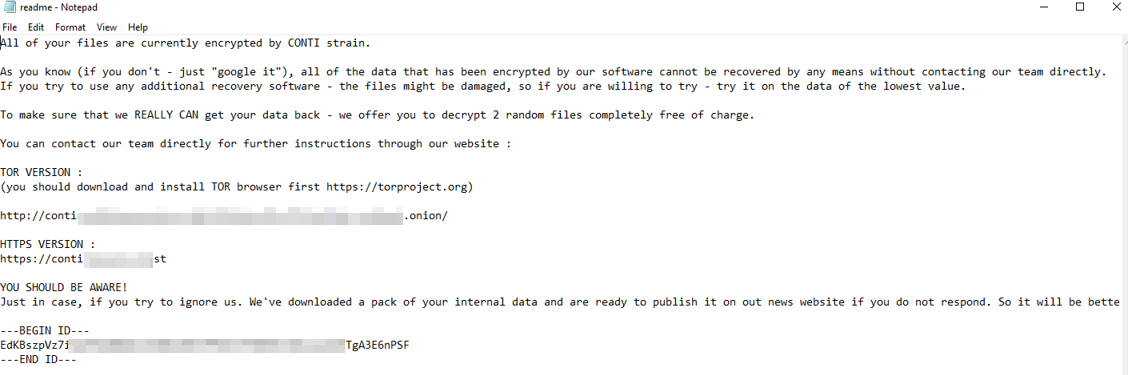
Below are the error messages that the Exchange admin and employees see when they try to access anything related to Exchange or Outlook. 
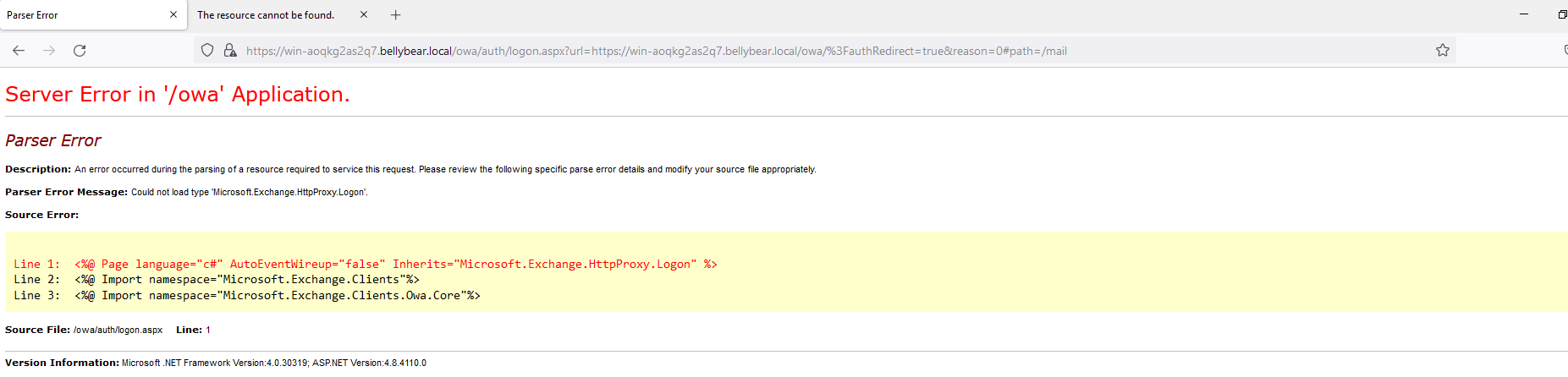
Task: You are assigned to investigate this situation. Use Splunk to answer the questions below regarding the Conti ransomware.
Questions
Q: Can you identify the location of the ransomware?
A: C:\Users\Administrator\Documents\cmd.exe 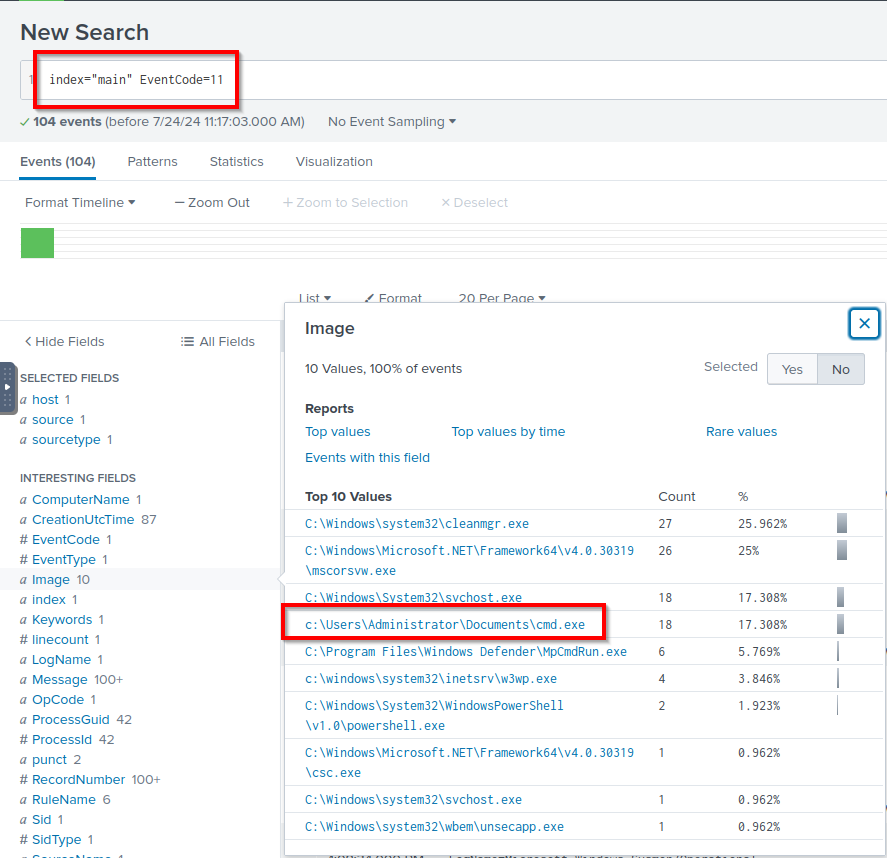
Q: What is the Sysmon event ID for the related file creation event?
A: 11
Q: Can you find the MD5 hash of the ransomware?
A: 290c7dfb01e50cea9e19da81a781af2c 
Q: What file was saved to multiple folder locations?
A: readme.txt 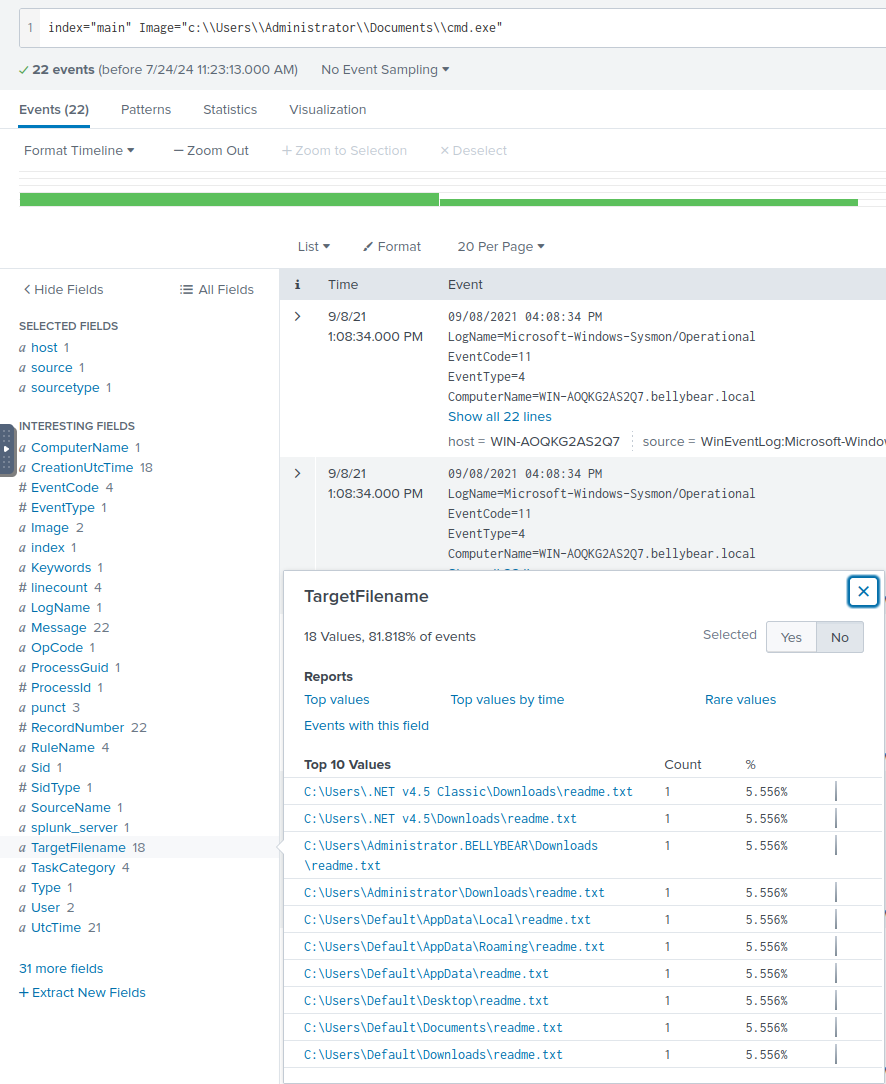
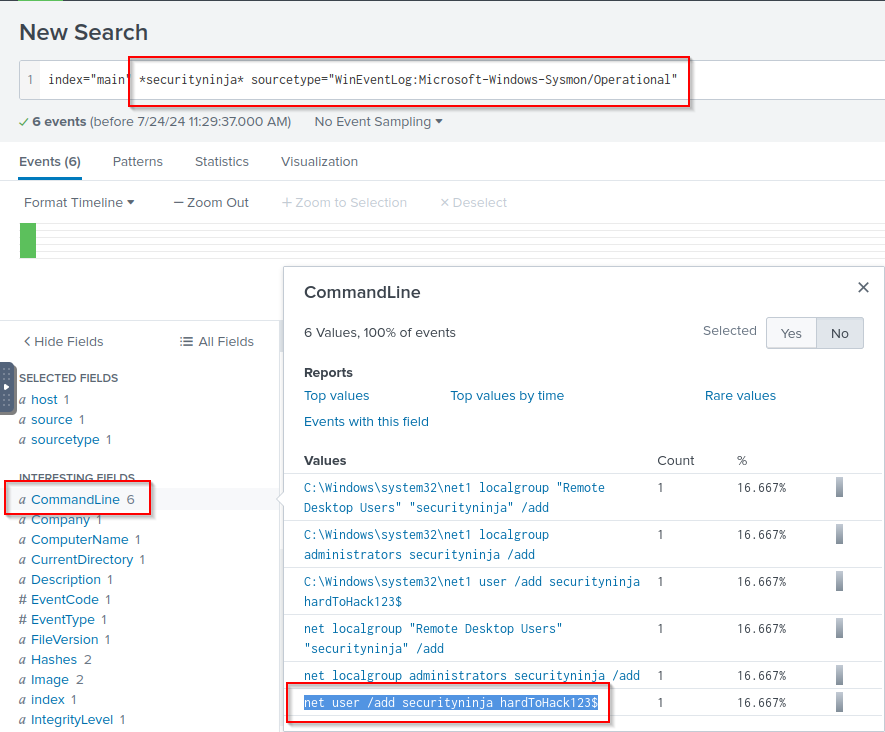
Q: What was the command the attacker used to add a new user to the compromised system?
A: net user /add securityninja hardToHack123$ 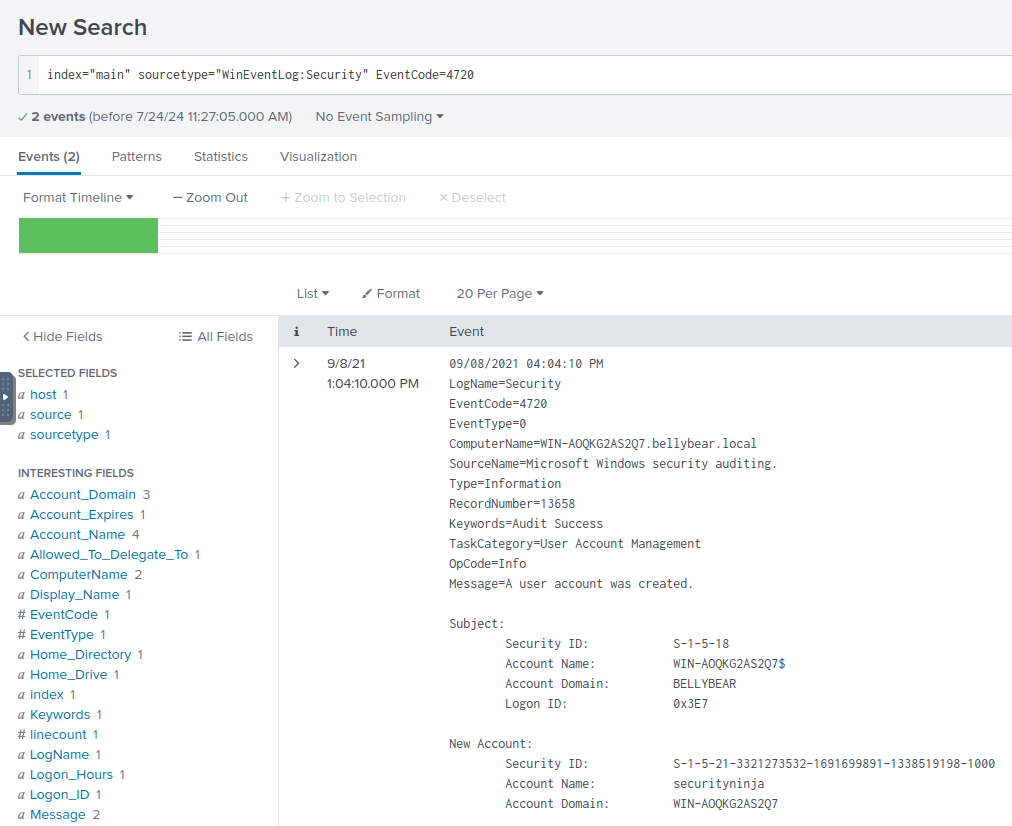
Q: The attacker migrated the process for better persistence. What is the migrated process image (executable), and what is the original process image (executable) when the attacker got on the system?
A: C:\Windows\System32\WindowsPowerShell\v1.0\powershell.exe,C:\Windows\System32\wbem\unsecapp.exe 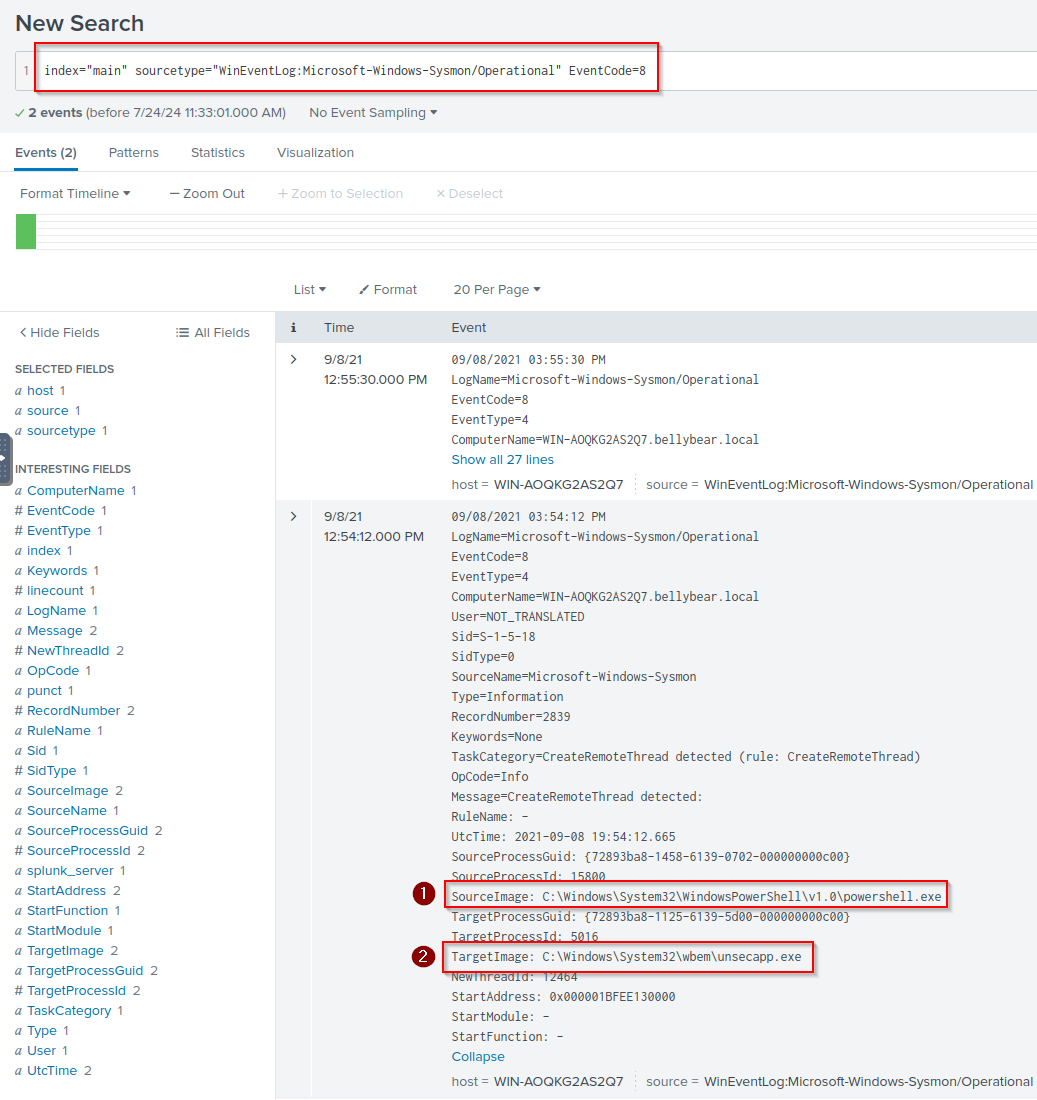
Q: The attacker also retrieved the system hashes. What is the process image used for getting the system hashes?
A: C:\Windows\System32\lsass.exe 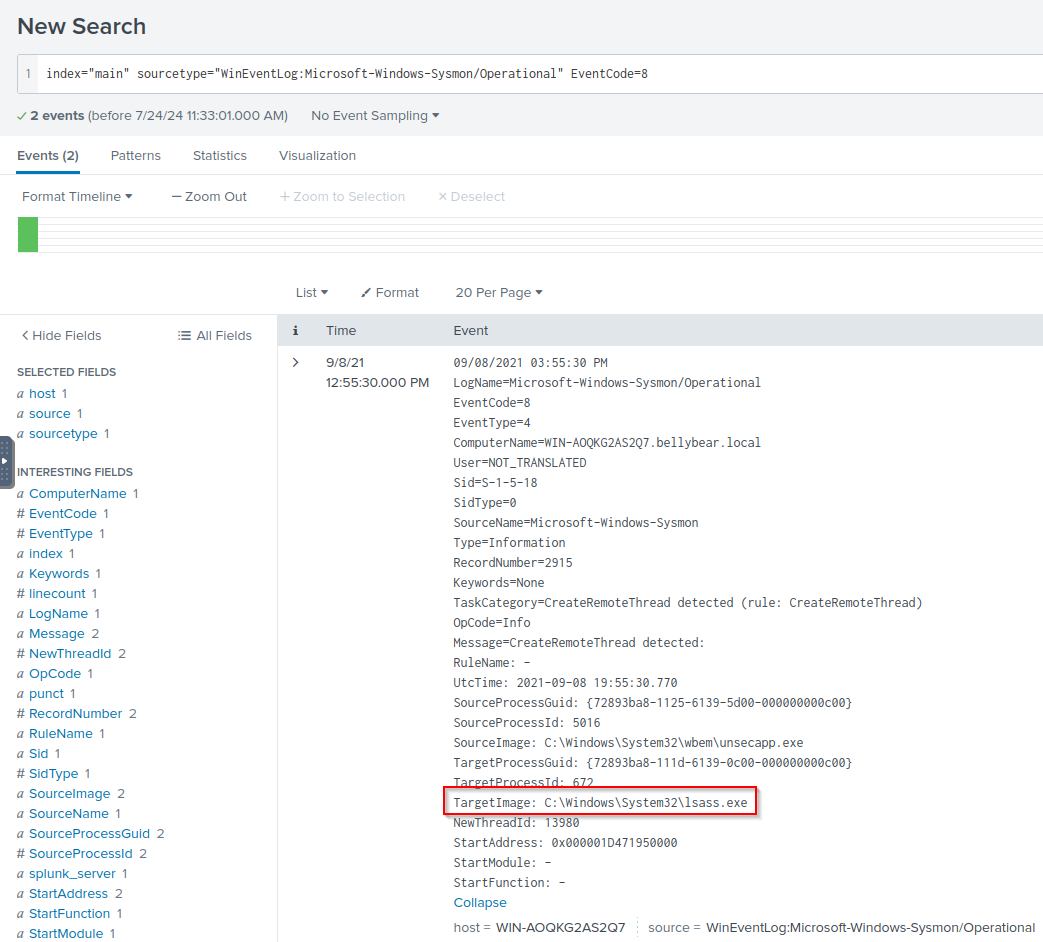
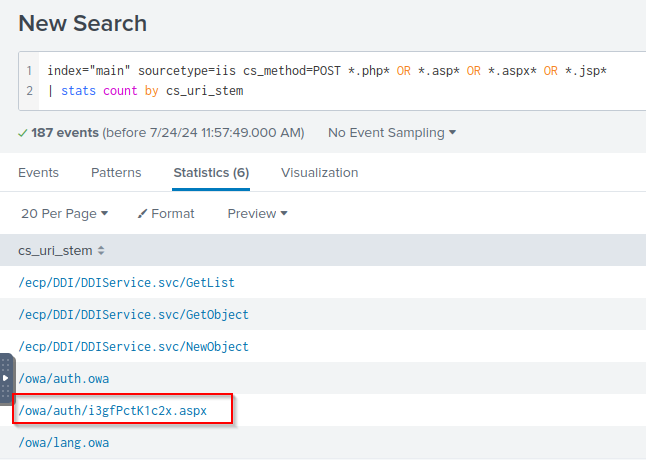
Q: What is the web shell the exploit deployed to the system?
A: i3gfPctK1c2x.aspx
Q: What is the command line that executed this web shell?
A: attrib.exe -r \\win-aoqkg2as2q7.bellybear.local\C$\Program Files\Microsoft\Exchange Server\V15\FrontEnd\HttpProxy\owa\auth\i3gfPctK1c2x.aspx 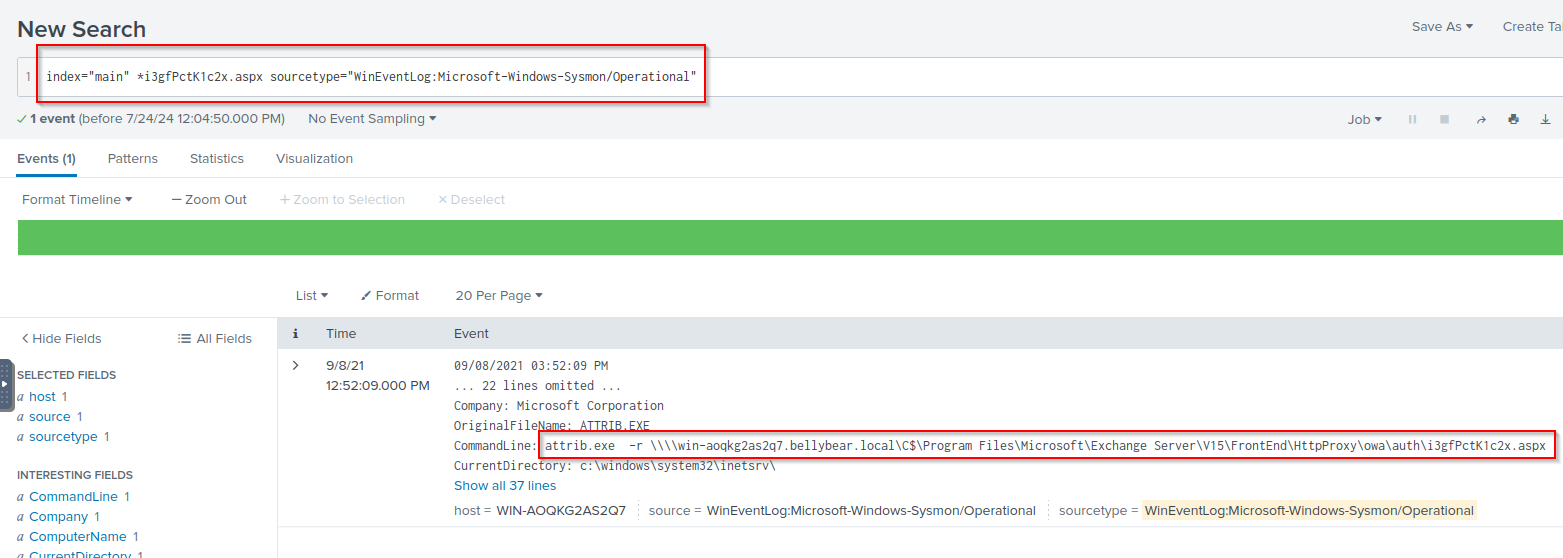
Q: What three CVEs did this exploit leverage?
A: CVE-2020-0796, CVE-2018-13374, CVE-2018-13379